- Accounts
-
Shop
- Bundle / School Shop
- Personal Shop
-
SoundcheckPro
- Getting Started
- Session Mode
- Console Operation
- Audio Effects
- Education
- Advanced Functions
- Troubleshoot
- Xena Mixer
- Yamuka Mixer
- Maggie Mixer
- Zedd Mixer
- DG32 Digital Mixer
- SteeV88
- Audyssey Console
- Xena Web App
- EDU Portal
-
VirtualStudioXR
- Collab-Mode
- Getting Started
- Session Mode
-
WAX
- Getting Started
Custom Pages
- Docs
- WAX
- Getting Started
- Custom Pages
Introduction
WAX Custom Pages let you create your own pages, tools and apps that run locally on your machine. A Custom Page can be anything from a simple page of content to a full single-page web application or even a device-style processor used inside WAX.
Because they run locally, Custom Pages are fast, flexible, and completely under your control.
Note – All users get one custom page. Create unlimited custom pages with a license.
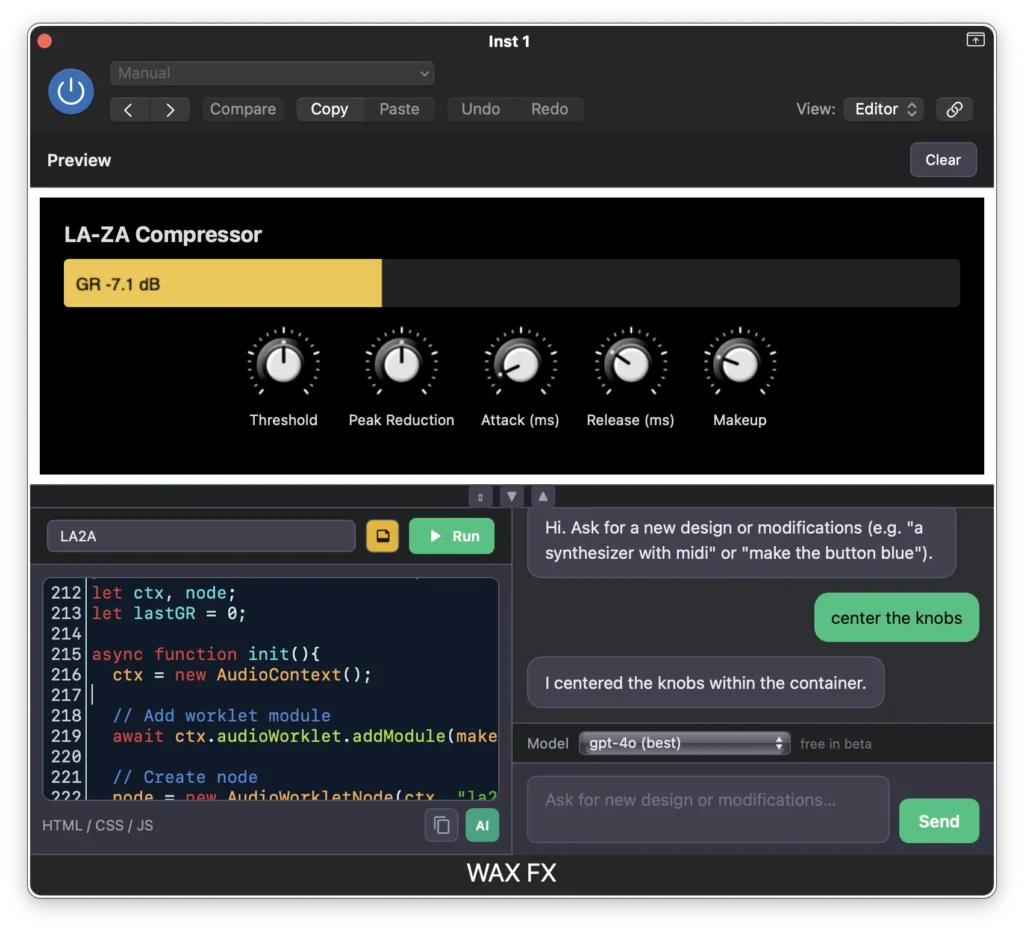
What You Can Build
Custom Pages can be used to create:
- full web pages
- single-page web apps
- custom utilities or tools
- audio or device processors
- experimental prototypes
Many users also use Custom Pages to adapt existing web audio tools so they work inside WAX.
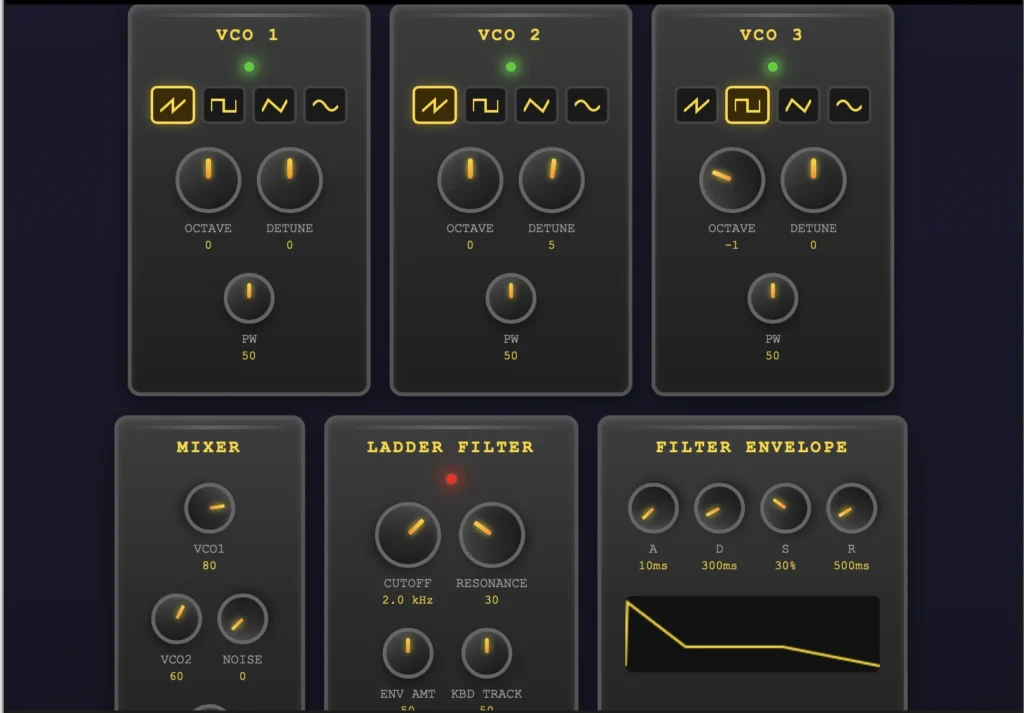
Built-in Editor and Preview
Custom Pages include a built-in code editor and preview window.
This lets you:
- write or modify code directly in WAX
- see the results immediately
- test ideas quickly without leaving the app
Any changes you make are reflected in the preview in real time, making development fast and interactive.
Using Existing Code
You don’t need to start from scratch.
You can:
- paste code from web projects
- adapt open-source tools
- reuse examples found online
This makes it easy to bring existing web apps into the WAX environment.
Using AI to Help
If you’re unsure how to build something, you can also ask AI tools to help generate or modify code.
Many users use AI to:
- create starting templates
- convert web tools to work inside WAX
- debug or improve their pages
Learn More
For deeper technical information about building Custom Pages, see the WAX Developer Documentation.