- Accounts
-
Shop
- Bundle / School Shop
- Personal Shop
-
SoundcheckPro
- Getting Started
- Session Mode
- Console Operation
- Audio Effects
- Education
- Advanced Functions
- Troubleshoot
- Xena Mixer
- Yamuka Mixer
- Maggie Mixer
- Zedd Mixer
- DG32 Digital Mixer
- SteeV88
- Audyssey Console
- Xena Web App
- EDU Portal
-
VirtualStudioXR
- Collab-Mode
- Getting Started
- Session Mode
-
WAX
-
Getting Started
- Download & Install WAX
- How to Use WAX
- Debug Panel
- Favorites Panel
- Custom Pages
- Hack Panel
-
Getting Started
How to Use WAX
- Docs
- WAX
- Getting Started
- How to Use WAX
First Launch
On first launch, WAX presents the default home page with quick access to web apps with DAW integrations and other quality web experience . WAX is capable of running different types of technologies in web, native and hybrid processing modes.
WAX is essentially a browser. Navigate to pages and utilize the WAX unique capabilities.
Main Plugin Window
The main toolbar at the top offers standard features found in web browsers.
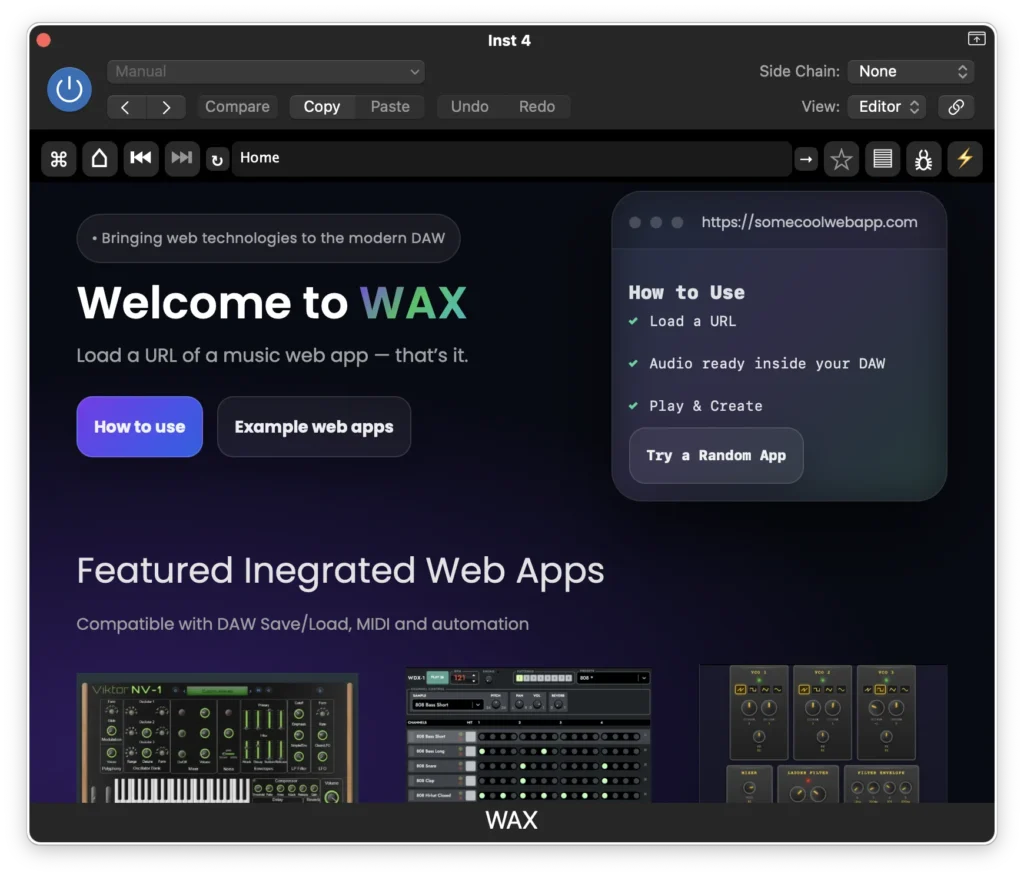
- Main Menu
- Home Page
- Back & Forward Navigation
- Page Refresh
- Address Bar
- Go Button (Request URL)
- Add to Favorites
- Favorites List
- Debug Panel
- Hack Panel
Main Menu
The far-most left button on the tool bar opens the main menu.
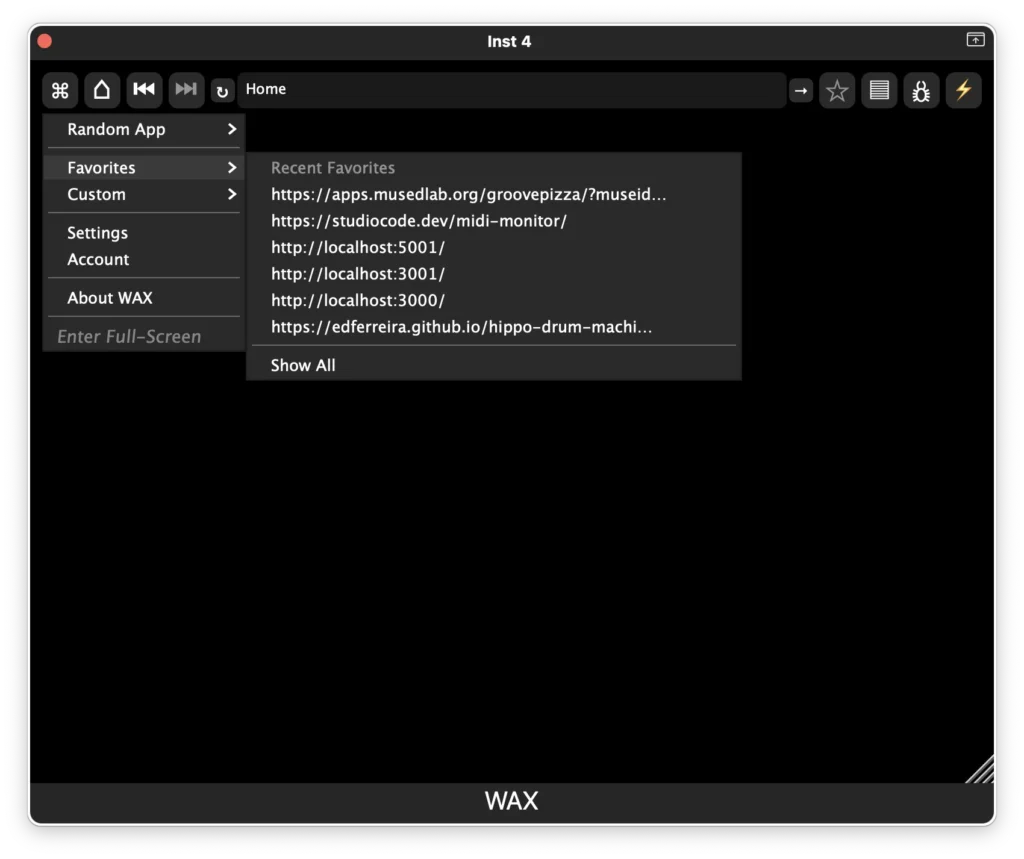
- Random Apps (all kinds!)
- Favorites
- Custom Pages (read more)
- Settings
- Account
- About
- Full Screen Mode
Start Using Apps
Highlighted Apps
Click on any of the Highlighted Integrated Apps for the best experience working with a DAW. These apps have verified MIDI, save/recall, and in most-cases automation compatible! The list of integrated apps is continuously growing. The home page will display new apps without needing to download an update.
More Web Apps
A more extensive collection of web apps are listed below consisting of web apps and experiences. They might now have deep integration. However, in most cases these apps will have MIDI integration at the least. They may provide their own save & load functions that you can store in session folders.
Random App
Looking for a creative surprise? Try a Random App.
Using Web Apps
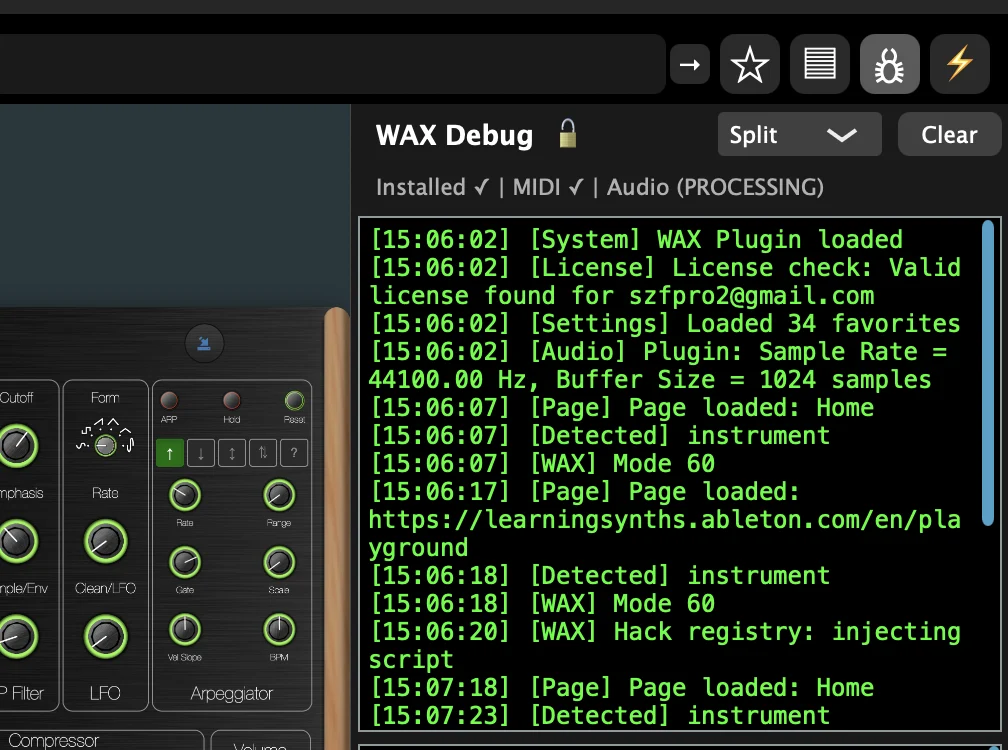
Every web experience is created different. WAX will do it’s best to expose MIDI and Audio automatically. Integrated apps will work naturally when loaded. However, some web apps may require toggled a switch or dropdown to initiate audio or midi. At the very least, there should be audio. You can verify with the Debug Panel if there is audio or midi detected on the page.
With everything setup. Use the web app as intended.
Saving & Loading
Integrated apps will have save and load naturally. Other web apps might have other means of save/recall which might add steps to rebuilding sessions.
- Native – WAX integrated apps save and load just as natural as other native plugins.
- Share URLS – a link that recalls the session, either by ID or a long string that rebuilds the session.
- Local File – a file browser will popup to save or load a file.
- Cache – Some web apps use cache to save/recall sate. However, multiple plugins running the same web app could cause conflicts on refresh.
NOTE – Loading presets from the DAW (native) requires a license.