Compact Mixer Overview
Introduction
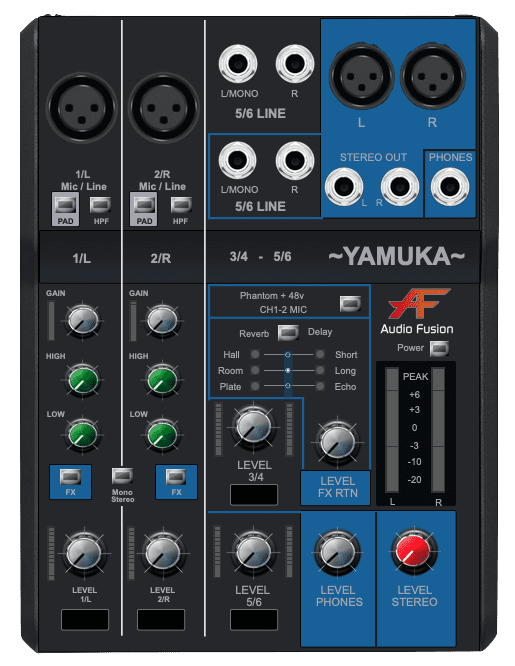
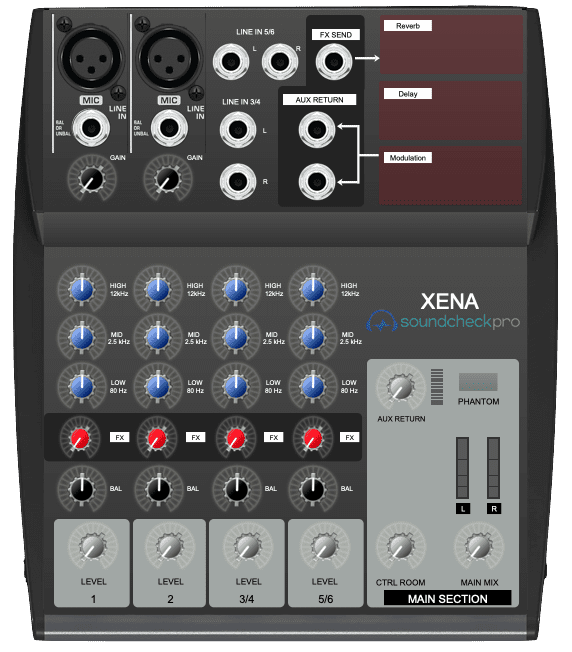
Ultra-compact mixers are a class of audio mixers designed to be portable, intuitive, and efficient, while still offering meaningful control over audio signals. They are widely used by musicians, podcasters, streamers, and broadcasters who need a flexible mixing solution that works across many environments—from home studios to live setups.
In this lesson, we’ll break down the most common parameters found on ultra-compact mixers and explain how each one functions within the signal flow. Understanding these controls will help you operate any compact mixer with confidence and achieve consistent, professional results.

Common Features
Despite their small size, ultra-compact audio mixers often share many features found on larger consoles. While designs vary by model, most compact mixers include the following core elements:
- Multiple channels – Allowing several audio sources to be connected and mixed simultaneously. This is essential for live performance, recording, and streaming setups.
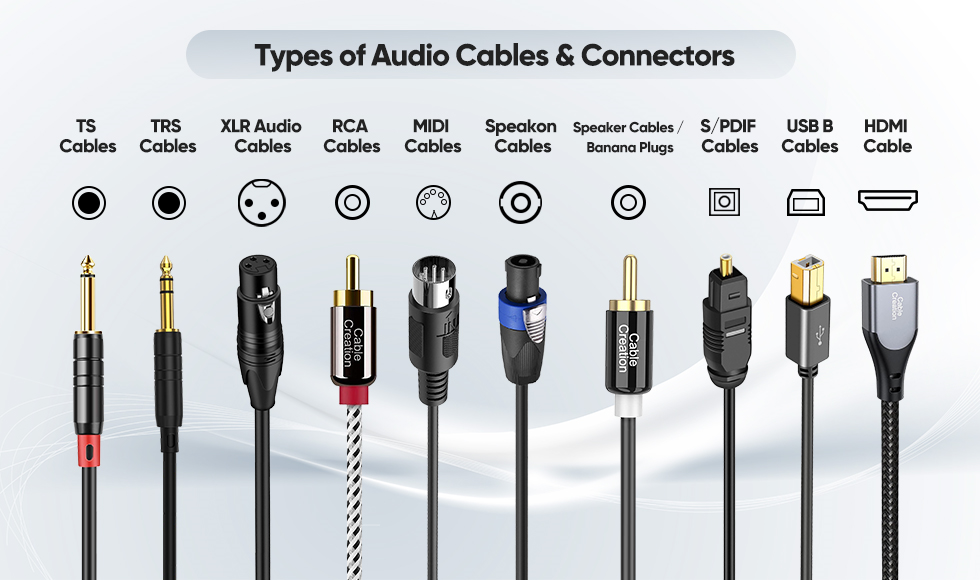
- Input and output connectors – Supporting common connection types such as XLR, ¼-inch, and RCA. Most mixers provide a stereo main output for speakers, headphones, or recording devices.
- EQ controls – Used to shape the tonal balance of each channel. This is especially useful in live environments where room acoustics may affect the sound.
- Effects sends – Enabling audio to be routed to internal or external effects such as reverb or delay, adding depth and character to a mix.
- USB connectivity – Allowing direct connection to a computer for recording, playback, or live streaming without additional audio interfaces.
Input Channels
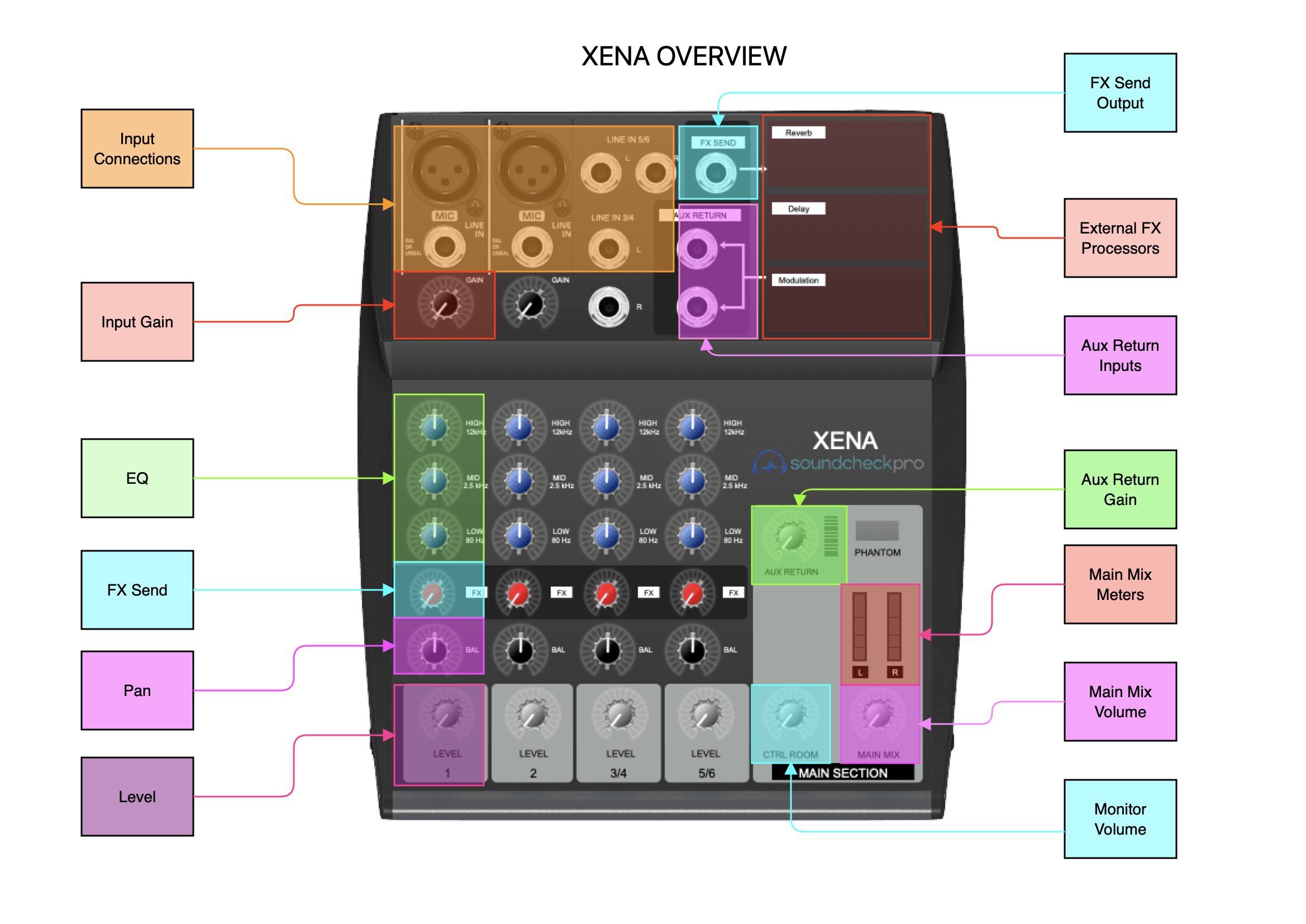
The number of input channels on an ultra-compact mixer depends on the model, but most provide at least two channels. Each channel allows you to connect an individual audio source such as a microphone, instrument, or line-level device like a phone or media player.
Each channel typically includes its own set of controls, giving you independent control over that signal before it is combined with the rest of the mix.

Input Gain
Input gain controls adjust the strength of the incoming signal at the very start of the signal path. Proper gain staging is critical, as different audio sources produce different output levels.
Setting the gain correctly ensures:
- A clean signal without distortion
- Adequate signal strength above the noise floor
- Consistent levels across channels
Gain should always be set before adjusting channel volume or EQ.

EQ
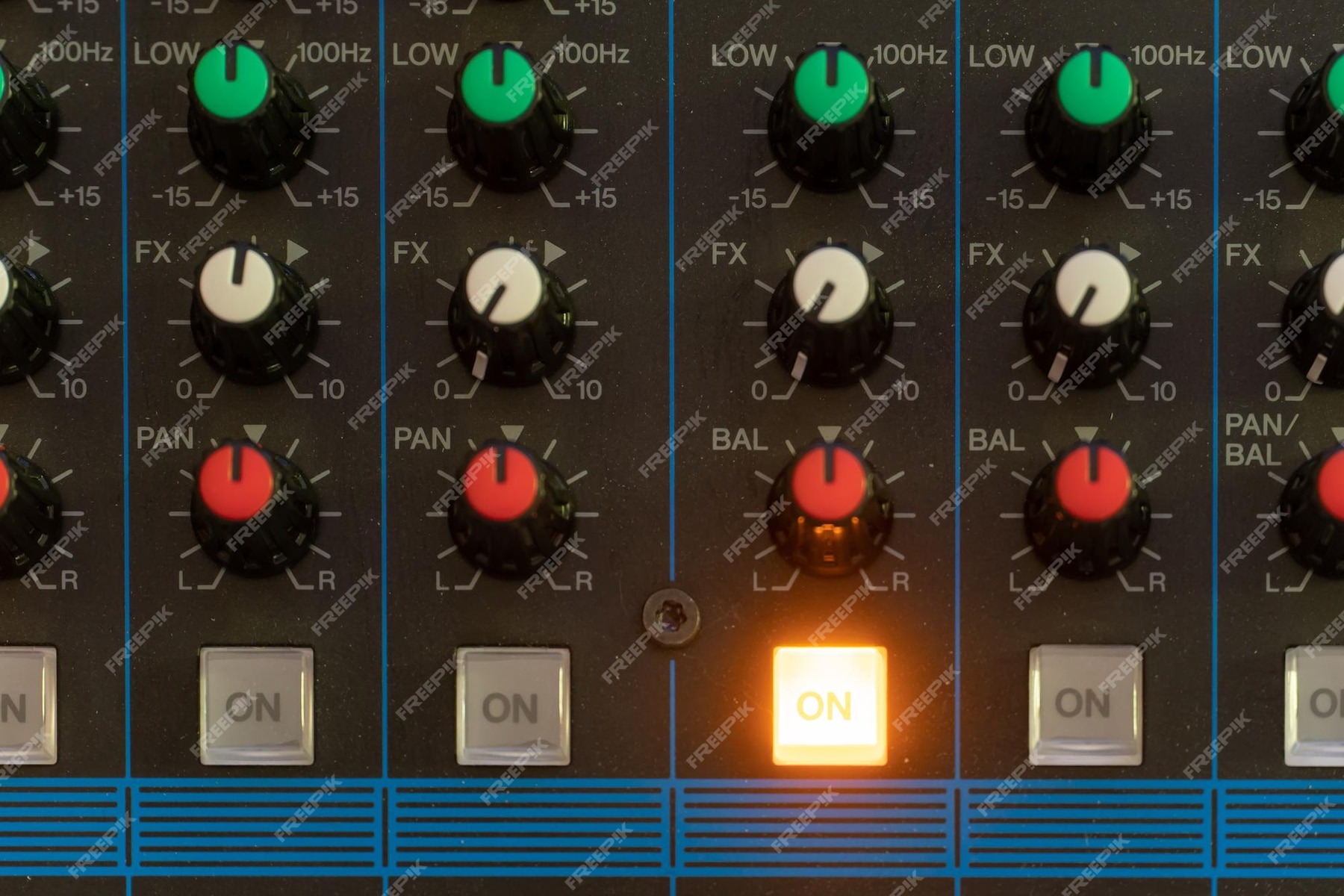
Most ultra-compact mixers include basic EQ controls on each channel, allowing you to shape the tone of individual audio sources. EQ can be used to reduce unwanted frequencies, enhance clarity, or help multiple sources fit together in a mix.
Even simple EQ controls play a major role in achieving a balanced and intelligible sound, especially in live or untreated acoustic environments.
Aux Send
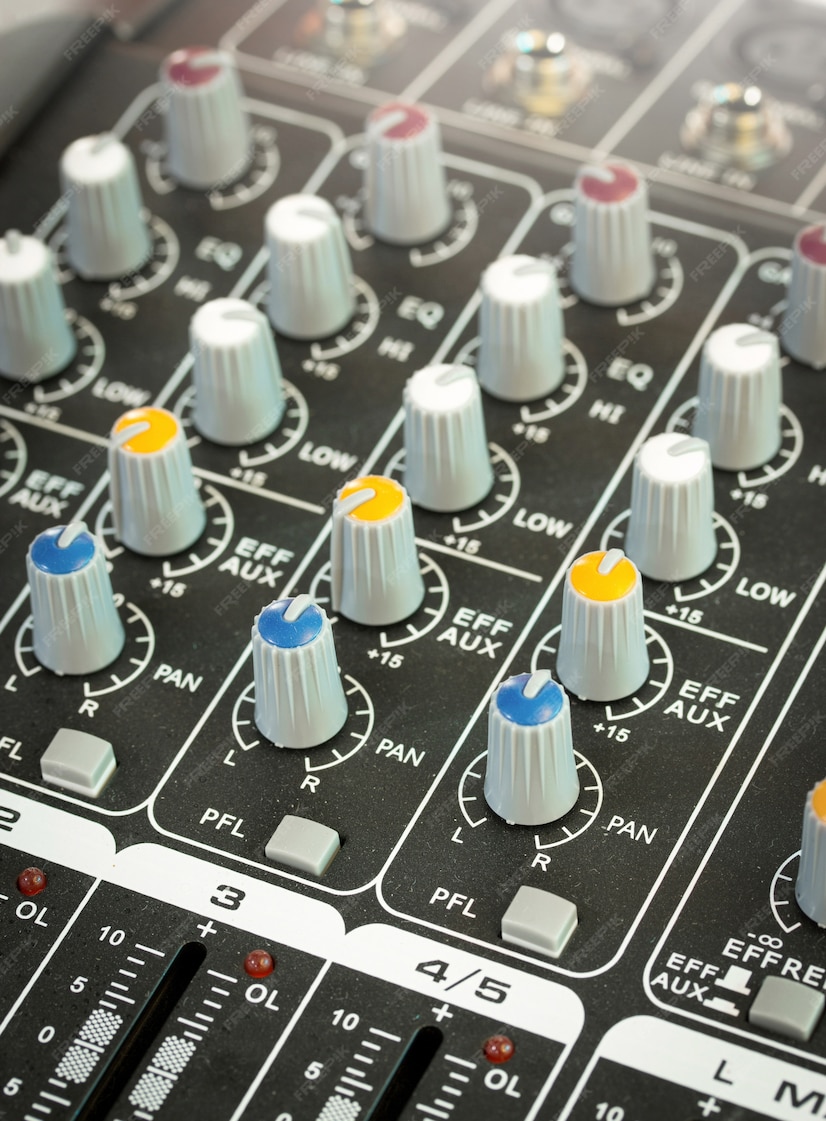
Auxiliary (Aux) send controls route a portion of a channel’s signal to an external destination, such as an effects processor or monitor mix. This allows effects to be applied selectively without affecting the main mix balance.
- Aux sends are commonly used for:
- External processing chains
- Reverb and delay effects
- Headphone or monitor mixes
Pan
The pan control adjusts where a sound sits within the stereo field, from left to right. Proper panning helps create separation between sources, improves clarity, and prevents elements from competing for the same space.
Using pan effectively contributes to a more natural and spacious mix.
Solo and Mute
Mute and solo switches provide quick control over individual channels:
- Mute silences a channel completely, which is useful for removing unwanted signals or preventing feedback.
- Solo isolates a channel so it can be monitored on its own, allowing for precise level and EQ adjustments without distraction.
These controls are essential for efficient troubleshooting and fine-tuning during both live and studio work.
Channel Fader
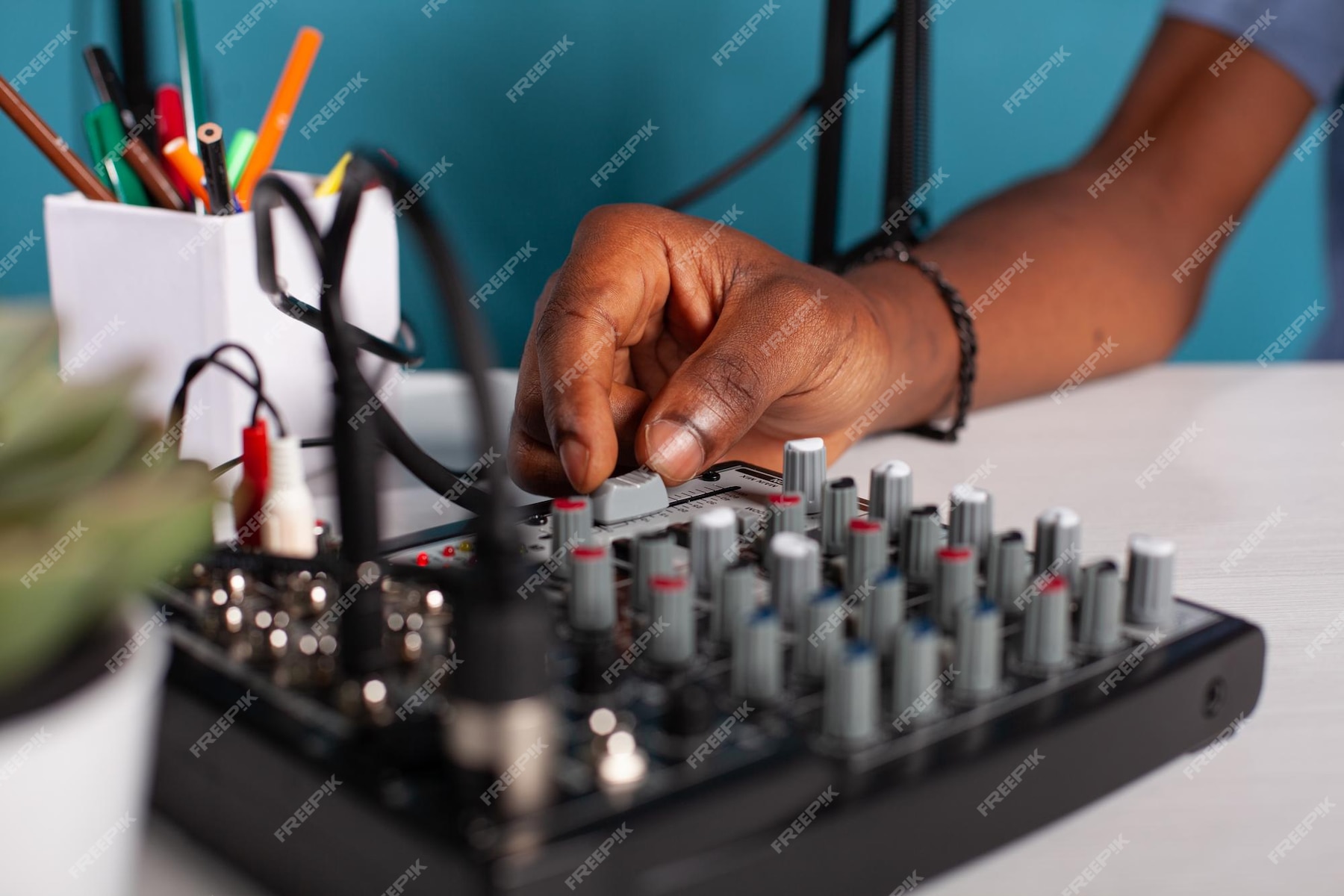
Channel faders (or level knobs on smaller mixers) control the output volume of each channel after gain and EQ. They are used to balance sources relative to one another and shape the overall mix.
Proper fader balance ensures the mix remains clear, controlled, and free of distortion.
Level Meter
Most ultra-compact mixers include LED meters or indicators that display signal level. These meters help you monitor levels in real time and avoid clipping or overload.
Keeping signals within a healthy range is key to maintaining clean audio throughout the system.

Output Controls
Compact mixers typically provide controls for managing audio sent to different destinations, including:
- Main output level – Controls the overall mix volume
- Monitor or headphone level – Adjusts listening volume independently
These controls allow you to tailor output levels without affecting the internal mix balance.
Aux/FX Sends & Returns
Aux and FX sends duplicate a signal and route it to a designated output for effects processing or monitoring. Many ultra-compact mixers provide at least one send, and some include built-in effects processors.
When multiple sends are available, each can serve a different purpose, such as:
- Effects processing
- Separate headphone mixes
- External routing

Connector Types
Compact mixers support a variety of connector types to accommodate different audio sources. Channels may accept mono or stereo inputs depending on the design.

- XLR Connectors
XLR connectors are commonly used for microphones. They carry balanced signals, which reduce noise and interference, and can supply phantom power required by condenser microphones.
- TRS Connectors
TRS (Tip-Ring-Sleeve) connectors are typically used for line-level inputs. They are common for instruments, playback devices, and interfaces, and may appear in both ¼″ and ⅛″ formats.
- RCA Connectors
RCA connectors are often used for consumer audio devices such as media players or gaming consoles. While convenient, they are generally less durable and more noise-prone than balanced connections.
- Combo Connectors
Some mixers feature combo inputs that accept both XLR and TRS connections, allowing quick switching between microphones and line-level sources.

Conclusion
Ultra-compact mixers offer a powerful and flexible way to manage audio in a small, portable format. With independent channels, gain control, EQ, aux sends, and multiple output options, they can be used across a wide range of applications—from recording and streaming to live performance.
By understanding how each parameter functions within the signal flow, you can operate any compact mixer more effectively and achieve reliable, professional-sounding results.
Try the Compact Mixers in SoundcheckPro
Explore and interact with the inner workings of an ultra-compact mixer at no cost using the BD-1 mixer in SoundcheckPro. Each component is arranged in signal-flow order, and all destinations include meters to clearly visualize how signals are routed and attenuated throughout the system.